

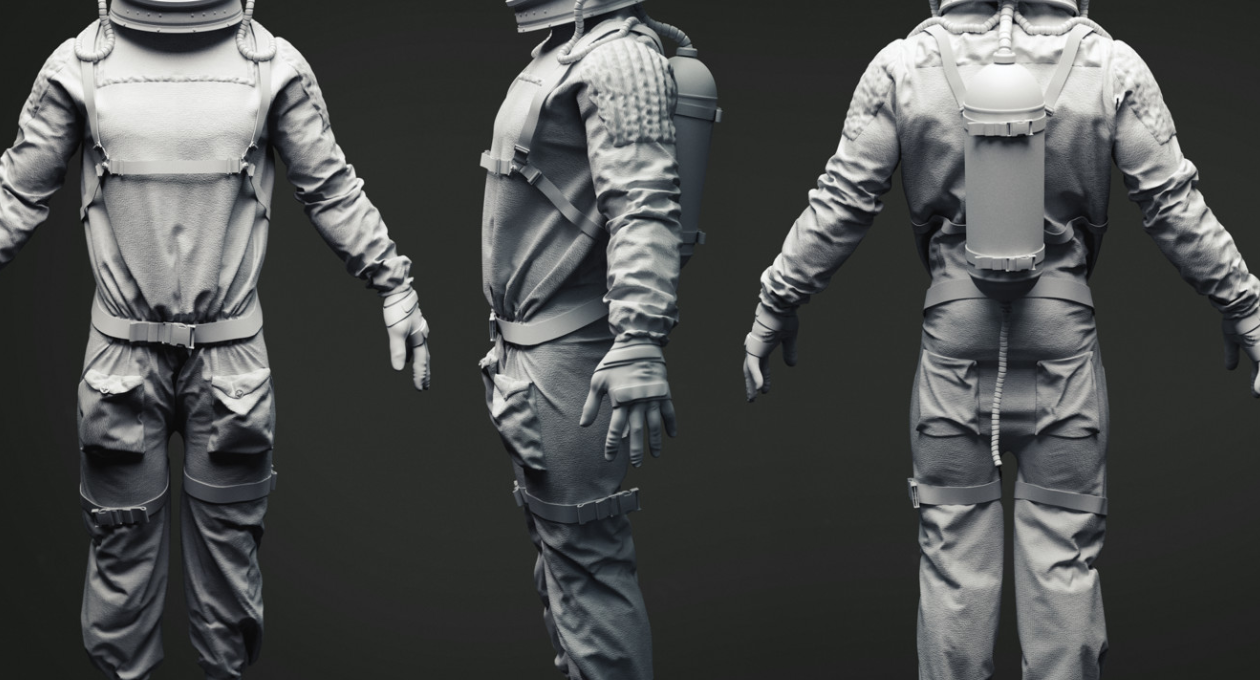
ArtStation 3D models have become one of the most popular digital assets for artists, game developers, animators, and creative professionals. ArtStation is widely known as a platform where artists showcase portfolios, but it also serves as a powerful marketplace for high-quality 3D assets. From realistic characters to futuristic environments, creators can buy, sell, and download professional-grade models for various projects.
The rise of gaming, animation, virtual reality, and digital marketing has increased the demand for 3D content. Artists now rely on marketplaces like ArtStation to save time and improve production quality. Whether you are creating a game, designing cinematic scenes, or producing visual effects, ArtStation offers a massive collection of ready-to-use assets.
Many beginners discover ArtStation while searching for inspiration, but experienced professionals often use it as a business platform. Artists can generate income by selling their creations, while buyers gain access to detailed assets that can improve workflow efficiency.
What Are ArtStation 3D Models?
ArtStation 3D models are digital three-dimensional assets uploaded by creators on the ArtStation marketplace. These models can represent characters, weapons, vehicles, architecture, environments, creatures, and props.
Most models are compatible with industry-standard software such as:
- Blender
- Maya
- 3ds Max
- Cinema 4D
- Unreal Engine
- Unity
These assets are commonly used in:
- Video game development
- Animation projects
- Product visualization
- Virtual reality experiences
- Film production
- Architectural rendering
Artists usually provide files in formats like FBX, OBJ, STL, and Blend, making them flexible for multiple workflows.
Why ArtStation 3D Models Are Popular
One reason for the popularity of ArtStation 3D models is the professional quality available on the platform. Many assets are created by experienced industry artists who work in gaming or film production.
High-Quality Assets
Most models include:
- Detailed textures
- Realistic materials
- Optimized topology
- UV mapping
- Rigging support
These features help creators save countless hours during production.
Huge Variety
ArtStation offers models in many categories, including:
| Category | Examples |
|---|---|
| Characters | Humans, monsters, robots |
| Environment | Cities, forests, interiors |
| Props | Furniture, tools, gadgets |
| Vehicles | Cars, aircraft, tanks |
| Weapons | Guns, swords, sci-fi tools |
| Fantasy Assets | Dragons, castles, magic items |
This variety makes the marketplace useful for both indie creators and large studios.
Professional Community
ArtStation is not just a marketplace. It is also a social platform where artists can build portfolios, gain followers, and connect with industry professionals.
Benefits of Using ArtStation 3D Models
Saves Development Time
Creating a detailed 3D model from scratch can take days or even weeks. Buying a ready-made model speeds up the workflow and allows creators to focus on other aspects of production.
Cost-Effective Solution
Hiring a professional 3D artist for every project can be expensive. Purchasing a model from ArtStation is often far more affordable.
Learning Opportunity
Beginners can study professional models to understand:
- Topology techniques
- Texturing workflows
- Lighting concepts
- Sculpting methods
This makes ArtStation valuable for education and skill improvement.
Inspiration for New Projects
Browsing through ArtStation 3D models can inspire fresh ideas for games, animations, and digital artwork.
Types of ArtStation 3D Models
Character Models
Character models are among the most downloaded assets on ArtStation. These include:
- Realistic humans
- Stylized heroes
- Fantasy creatures
- Sci-fi soldiers
Some character packs include facial rigs and animations.
Environment Models
Environment assets help creators build immersive scenes quickly. Examples include:
- Medieval villages
- Cyberpunk cities
- Desert landscapes
- Space stations
These models are especially useful in game development.
Weapon and Prop Models
Prop assets improve scene detail and realism. Common examples include:
- Swords
- Firearms
- Furniture
- Electronic devices
Game designers frequently use these assets for level creation.
Vehicle Models
Vehicle models range from realistic sports cars to futuristic spacecraft. Many are optimized for real-time rendering engines.
How to Choose the Best ArtStation 3D Models
Check Polygon Count
High polygon models look realistic but may reduce performance in games. Always choose models suitable for your project type.
Review Texture Quality
Look for models with:
- 2K or 4K textures
- PBR materials
- Clean UV mapping
Good textures greatly improve visual quality.
Verify Compatibility
Before purchasing, ensure the asset works with your preferred software or engine.
Read Customer Reviews
Reviews provide insight into:
- File quality
- Ease of use
- Technical issues
- Artist support
This helps avoid poor-quality purchases.
ArtStation 3D Models for Game Development
Game developers heavily rely on ArtStation assets because they accelerate production pipelines.
Indie Game Advantages
Independent developers often have limited budgets and small teams. Ready-made assets help them produce visually impressive games without large production costs.
AAA Production Support
Even large studios sometimes purchase assets for:
- Background props
- Concept art references
- Prototype development
This speeds up testing and iteration.
Unreal Engine and Unity Integration
Many ArtStation 3D models are optimized for popular engines like Unreal Engine and Unity. Some creators even provide complete project files.
Selling ArtStation 3D Models
Artists can turn their skills into income by selling models online.
Building a Portfolio
A strong ArtStation profile increases visibility and credibility. High-quality previews attract more buyers.
Pricing Strategies
Pricing depends on:
- Complexity
- Texture quality
- Rigging features
- Commercial usage rights
Artists often offer both personal and commercial licenses.
Marketing Tips
Successful sellers usually:
- Upload regularly
- Use professional thumbnails
- Share work on social media
- Create detailed descriptions
Consistency helps build long-term sales.
Common Mistakes When Buying 3D Models
Ignoring Licensing Terms
Always check whether the model allows commercial use. Some assets are only for personal projects.
Buying Overly Complex Models
Extremely high-poly assets may slow down rendering or gameplay performance.
Not Checking File Formats
A model may look impressive but fail to work with your software if the correct format is unavailable.
Skipping Preview Images
Preview renders help determine actual asset quality before purchase.
Future of ArtStation 3D Models
The future of 3D content is expanding rapidly due to technologies like:
- Virtual reality
- Augmented reality
- Artificial intelligence
- Metaverse development
As demand grows, ArtStation will likely continue evolving into a larger marketplace for digital assets.
AI-assisted workflows may also help artists create models faster while maintaining professional quality. Real-time rendering engines are becoming more advanced, increasing the need for optimized 3D assets.
Tips for Beginners Using ArtStation
If you are new to 3D design, start with simple assets and gradually study advanced models. Focus on understanding:
- Topology
- Lighting
- Texturing
- Sculpting
- Rendering
Download free resources before investing in expensive packs. Many artists on ArtStation offer free sample models for learning purposes.
Joining the ArtStation community can also improve your networking opportunities and creative growth.
FAQs About ArtStation 3D Models
What are ArtStation 3D models used for?
ArtStation 3D models are used in gaming, animation, virtual reality, architecture, film production, and digital art projects.
Can beginners use ArtStation 3D models?
Yes, beginners can easily use these assets for learning, practice, and small projects.
Are ArtStation 3D models free?
Some models are free, while premium assets require payment depending on quality and complexity.
Which software supports ArtStation models?
Most models work with Blender, Maya, 3ds Max, Unreal Engine, Unity, and other professional tools.
Can I sell my own 3D models on ArtStation?
Yes, artists can upload and sell their models directly through the ArtStation marketplace.
Are ArtStation assets good for game development?
Yes, many models are optimized specifically for real-time game engines.
How do I know if a model is high quality?
Check textures, topology, preview renders, reviews, and supported file formats before purchasing.
Conclusion
ArtStation 3D models have transformed the way artists and developers create digital content. The platform provides high-quality assets for games, films, animation, and virtual experiences while helping creators save time and improve production quality.
Whether you are a beginner learning 3D design or a professional building advanced projects, ArtStation offers tools, inspiration, and opportunities for growth. Its combination of community interaction and marketplace functionality makes it one of the best platforms for modern digital artists.